
Image Compression Guide: Balancing Quality and Loading Speed for Modern Web
Learn how ConvertZuno's image compression tool works, when to compress versus convert, and which tool pages best handle PNG, JPG, WebP, and AVIF web assets for Core Web Vitals speed.
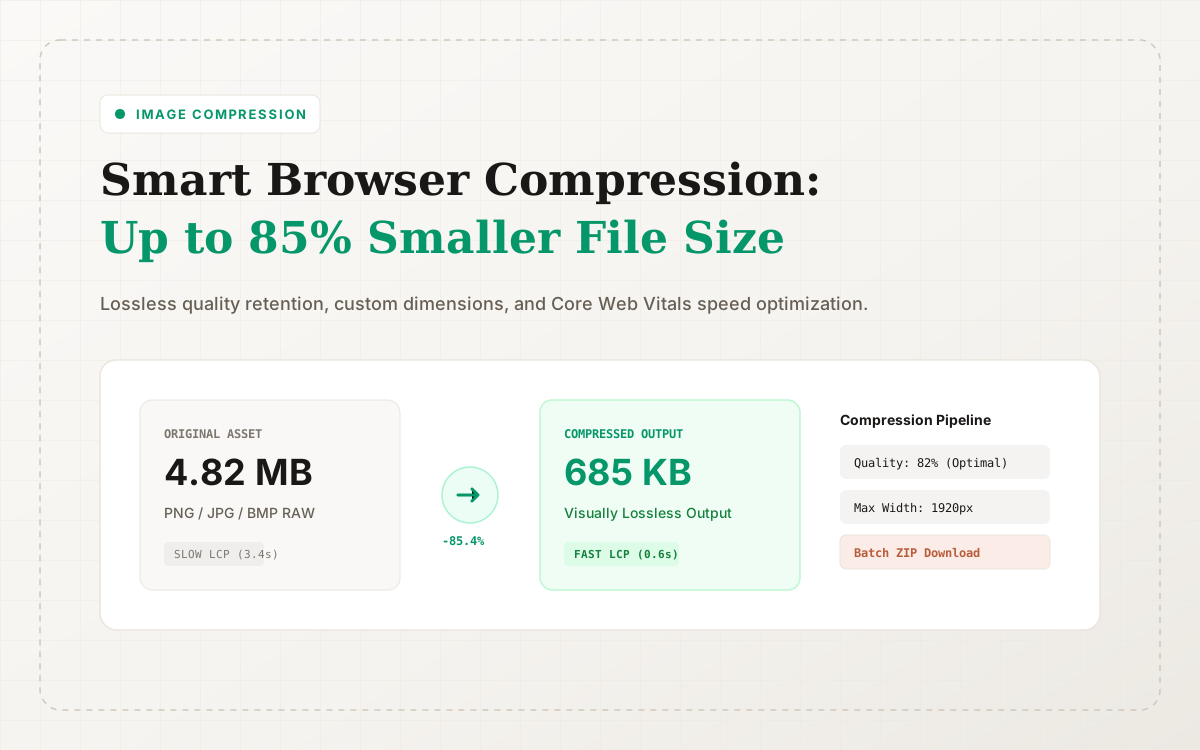
Image compression often starts as routine housekeeping. But as blog articles get richer, landing page screenshots proliferate, and digital asset libraries expand, compression quickly becomes an indispensable phase in your digital delivery chain.
On ConvertZuno, your primary tool for this workflow is Compress Image. This page provides browser-first image compression across PNG, JPG, JPEG, WebP, AVIF, and BMP, complete with optional dimension resizing and quality sliders.
What ConvertZuno's Image Compressor Does
The Compress Image tool focuses on one task: shrinking file size without imposing complex editor chrome. Key capabilities include:
- Parallel Batch Queueing: Drag and drop dozens of photos at once;
- Granular Quality Controls: Adjust compression ratio between 1% and 100% (75%-85% recommended for optimal balance);
- Adaptive Max Width & Height Resizing: Prevent 6000px camera master files from ballooning mobile network payloads;
- Flexible Target Format Output: Retain source extensions or convert directly to WebP or JPEG on the fly;
- Consolidated ZIP Downloads: Archive all optimized outputs in a single browser-generated ZIP file.
If you need to meet strict submission caps for visa applications or bureaucratic job portals, use our purpose-built Compress Image to 200KB utility.
When to Compress vs. When to Convert
Compression and format conversion often go hand-in-hand, but they serve different engineering goals.
Choose Compress Image when:
- Your main goal is shrinking byte weight without changing file extensions;
- You need to downsample oversized images (e.g. clamp dimensions to 1920px);
- You are cleaning up existing asset folders in bulk;
- You want 100% client-side memory safety for private or client photos.
Choose dedicated conversion tools when:
- PNG to WebP: You need transparent UI screenshots, logos, and vector rasterizations;
- JPG to WebP: You want to modernize high-resolution photographic captures and blog hero headers;
- SVG to WebP: You need to rasterize vector artwork into high-DPI bitmaps;
- PNG to AVIF: You need the bleeding edge of ultra-compact AV1 compression.
Rather than competing, compression and conversion form a unified optimization workflow.
The Advantage of Browser-First Compression
ConvertZuno processes files locally using HTML5 Canvas and WebAssembly. This delivers three distinct benefits:
- Instant Feedback Without Upload Queues: Avoid waiting for multi-gigabyte server uploads; local computing transforms files in milliseconds.
- Ironclad Confidentiality: Proprietary wireframes, invoices, and family photos never leave your device memory.
- Frictionless Usability: No desktop app installations, no accounts, and no license keys required.
How Image Compression Directly Improves SEO
Image compression does not magically boost your search rankings in isolation. Instead, it triggers a chain reaction across critical search signals:
- Improves Largest Contentful Paint (LCP): Core Web Vitals heavily weigh LCP. Shrinking a hero image by 75% often drops LCP from 3.5s down to sub-800ms.
- Reduces Mobile Bounce Rates: Visitors on cellular networks bounce quickly when pages stutter during image decoding.
- Lowers Bandwidth & CDN Costs: Trimming unneeded megabytes saves valuable transfer costs on your web hosts.
Internal Links and Further Reading
Build an end-to-end media strategy by exploring our connected topic clusters:
- Get the big picture of our architecture in Welcome to ConvertZuno;
- Migrate legacy images to modern formats with our Complete PNG & JPG to WebP Guide;
- Benchmark next-gen codecs in our AVIF vs WebP In-Depth Format Duel;
- Unlock iPhone images on PC using our iPhone HEIC to JPG & WebP Walkthrough;
- Browse all tools anytime via the All Tools Directory or return to the Blog Hub.
Sources & References
Format and WebAssembly claims link to official references; actual conversion results depend on the source file and encoding settings.
Try ConvertZuno Media Tools Now
Browser-first processing with batch ZIP exports; see the privacy policy for data-handling boundaries.